Pricing

Your CoPilot for Shopify QuickBooks Accounting

Schedule a demo
Banner Image

Trusted by more than 100+ eCommerce Merchants!

Shopify accounting, stress-free!

SyncTools automates Shopify QuickBooks accounting for accurate books and easy reconciliation.

SyncTools automates Shopify QuickBooks accounting for accurate books and easy reconciliation SyncTools automates Shopify QuickBooks accounting for accurate books and easy reconciliation

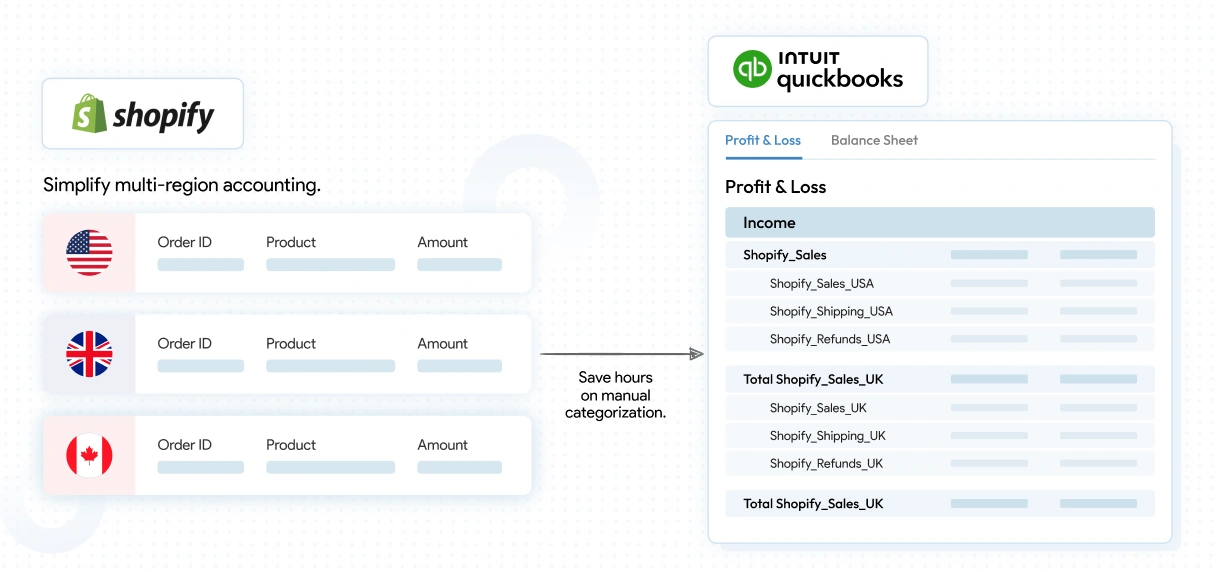
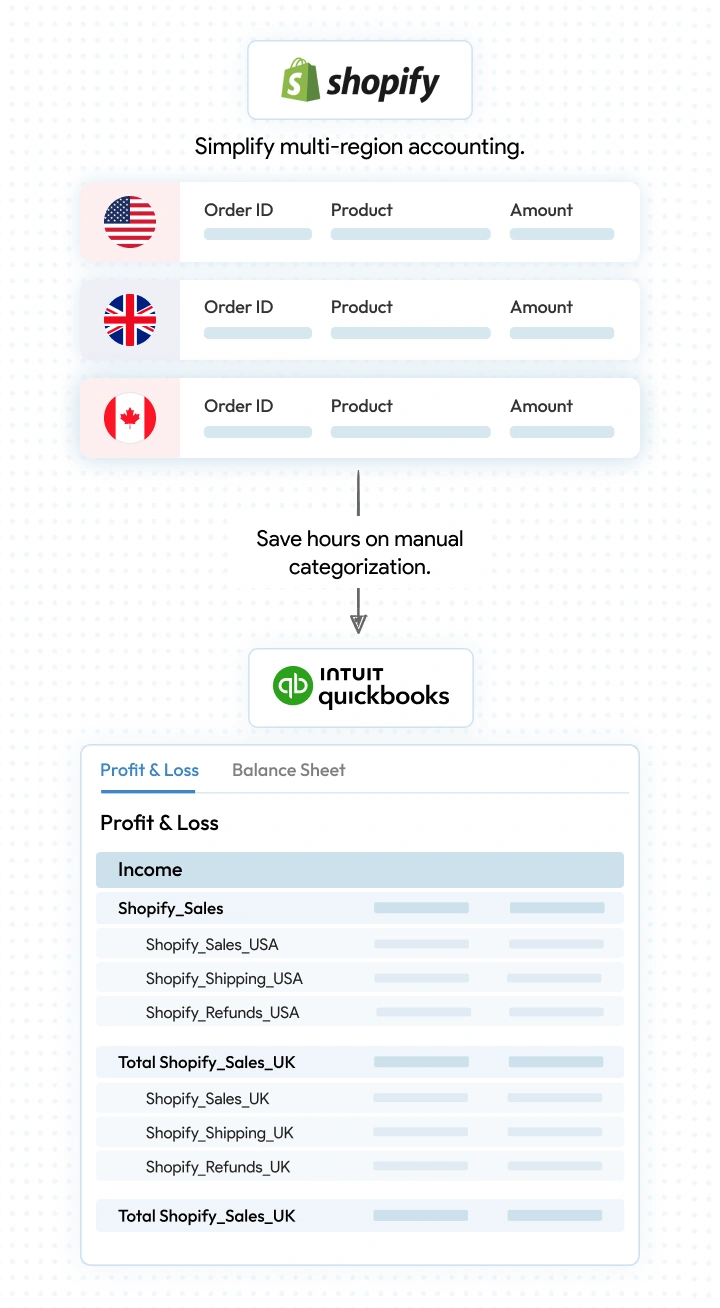
Auto-Categorize by Country

SyncTools saves your hours by automatically categorizing income and expenses by country, ensuring accurate and organized financial reports in QuickBooks Online.

  • Simplify multi-region accounting.
  • Gain clear insights into country-specific profits and taxes.
  • Save hours on manual categorization.
Auto-Categorize by Country Auto-Categorize by Country

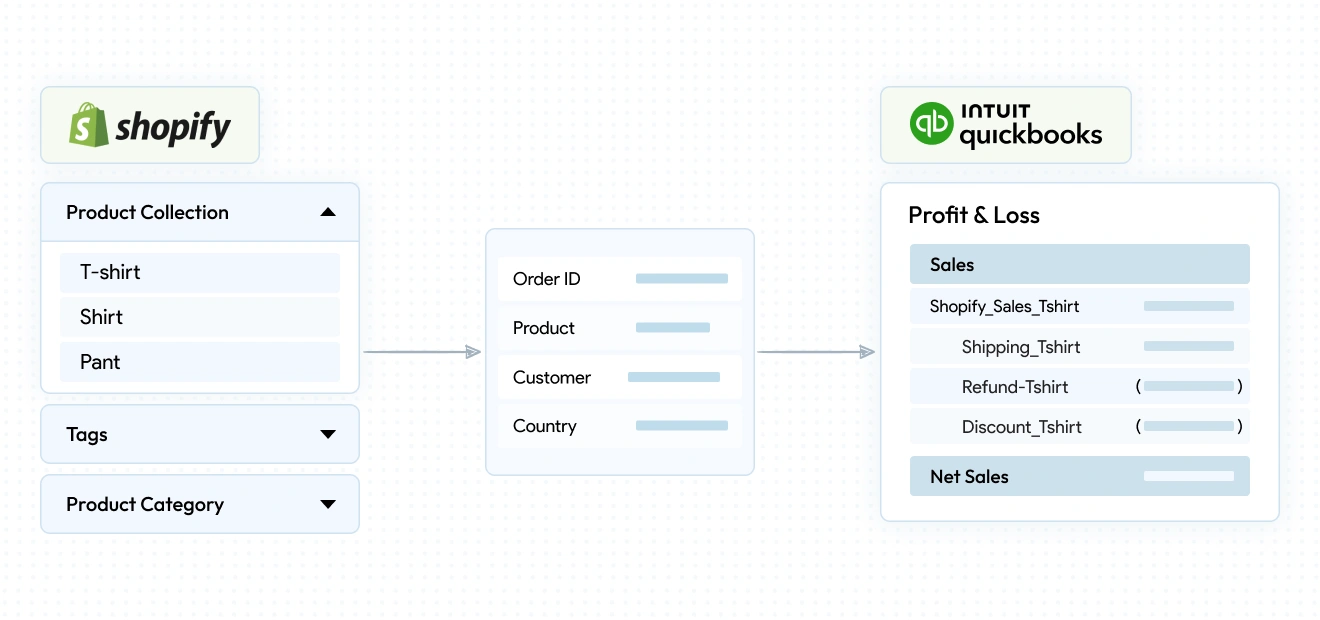
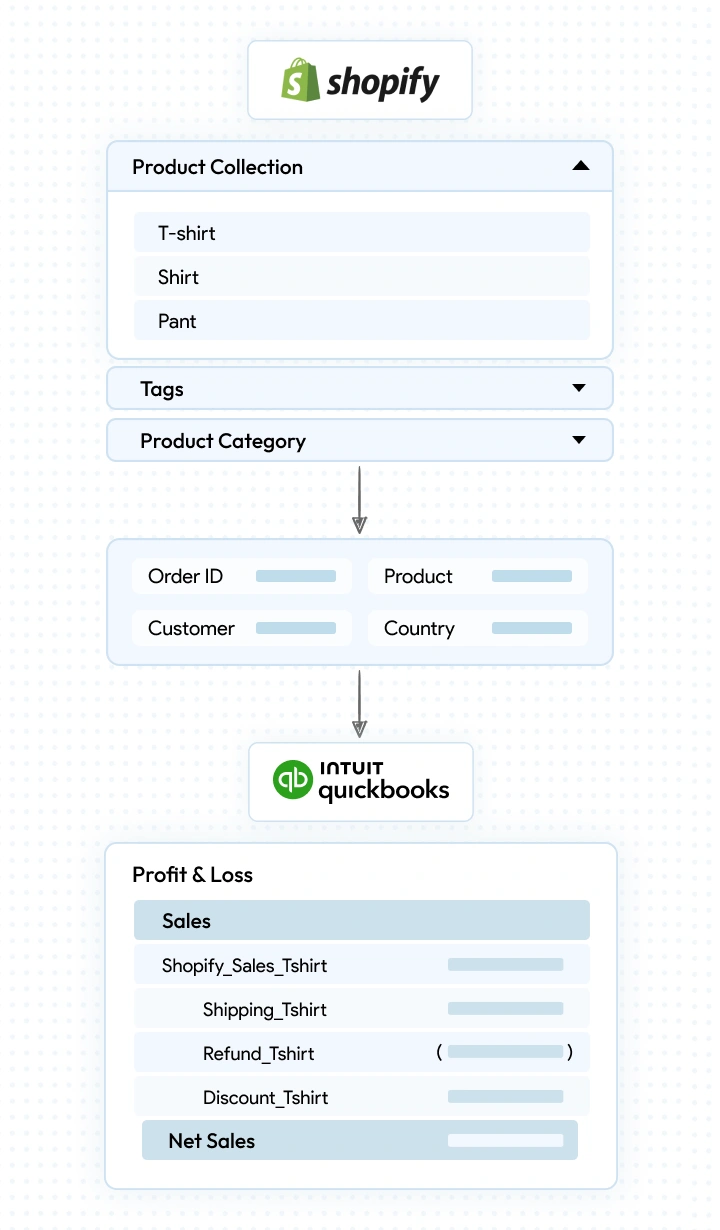
Know Which Products Drive Revenue

SyncTools streamlines your accounting by organizing income and expenses by product category, giving you deeper insights into which items drive your revenue.

  • Understand your top-performing categories.
  • Organize your books by Shopify product attributes like type, category, tags, or collections.
  • Easily create custom categories to suit your needs.
Know Which Products Drive Revenue Know Which Products Drive Revenue

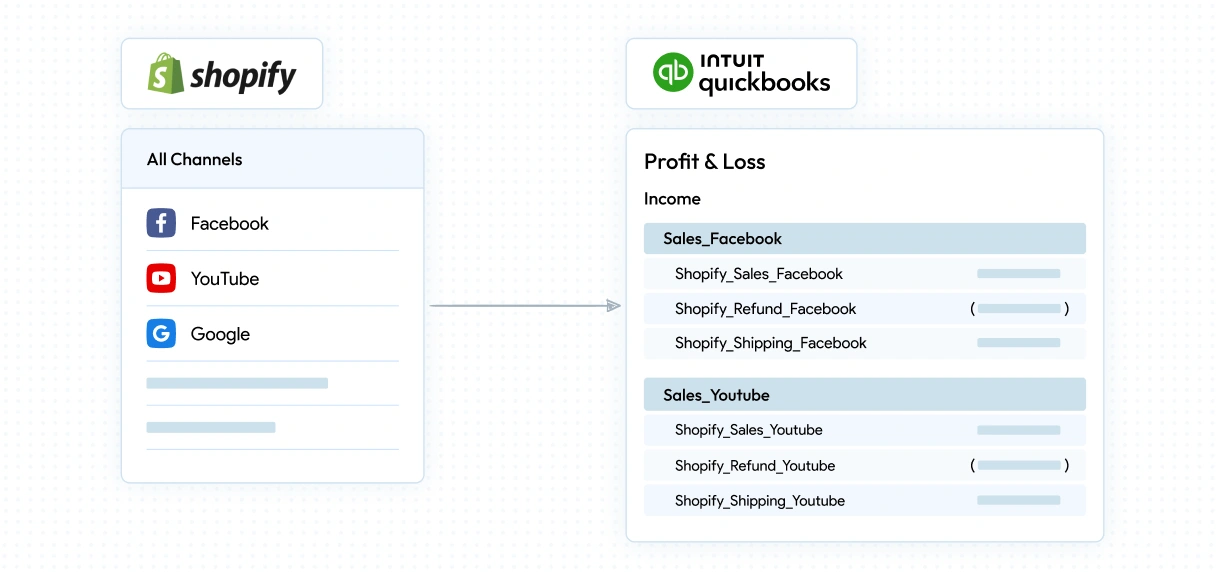
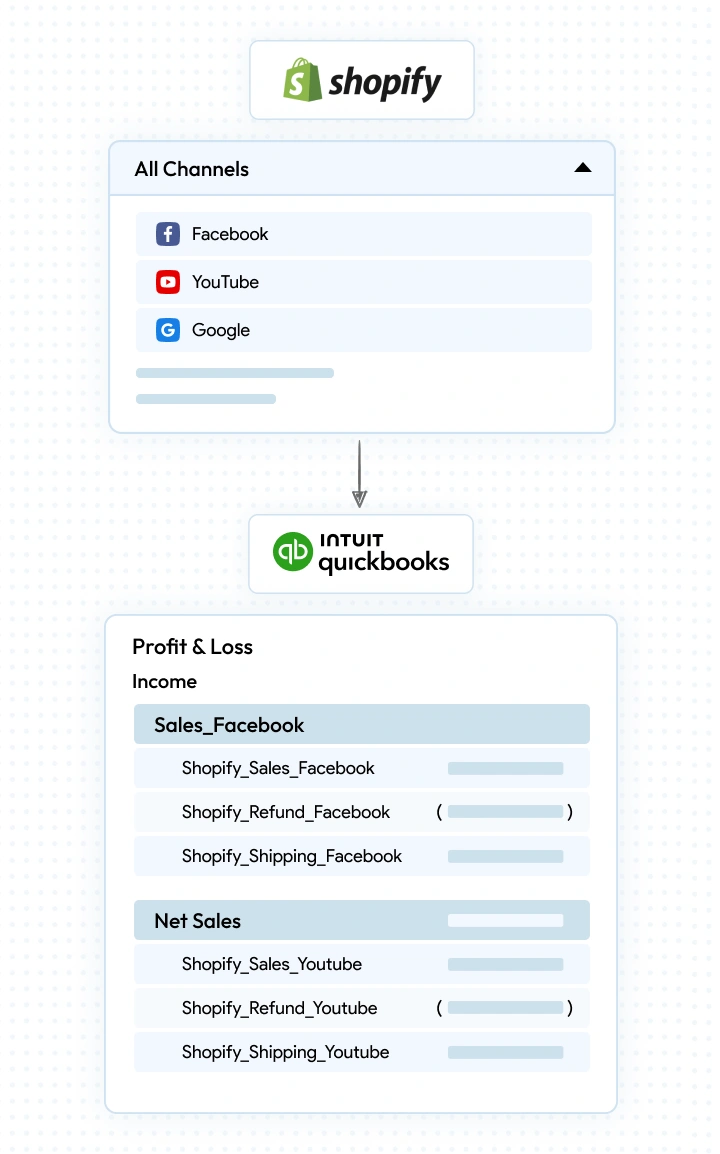
Track Revenue by Sales Channel

Effortlessly track your income and expenses by Shopify sales channels with SyncTools. Get a clear breakdown of where your revenue is coming from, all in one place.

  • See performance across POS, Online Store, Meta, YouTube & more.
  • Accurately track sales, fees, refunds as per channel.
Track Revenue by Sales Channel Track Revenue by Sales Channel

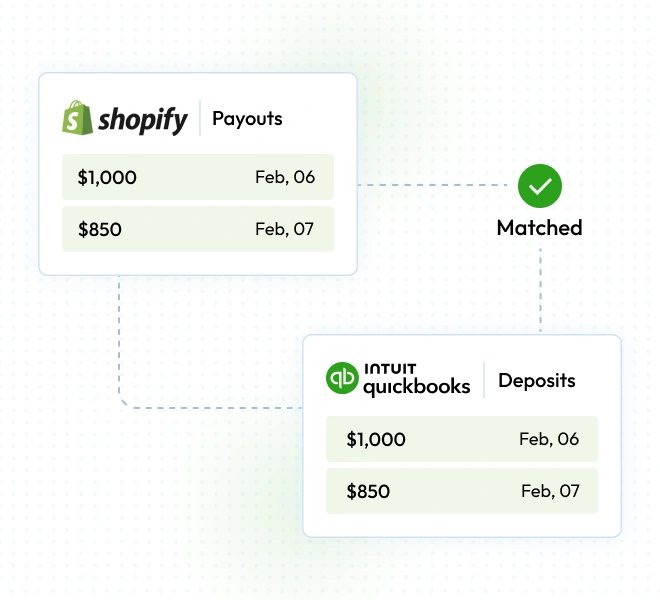
Effortless Reconciliation, Maximum Accuracy

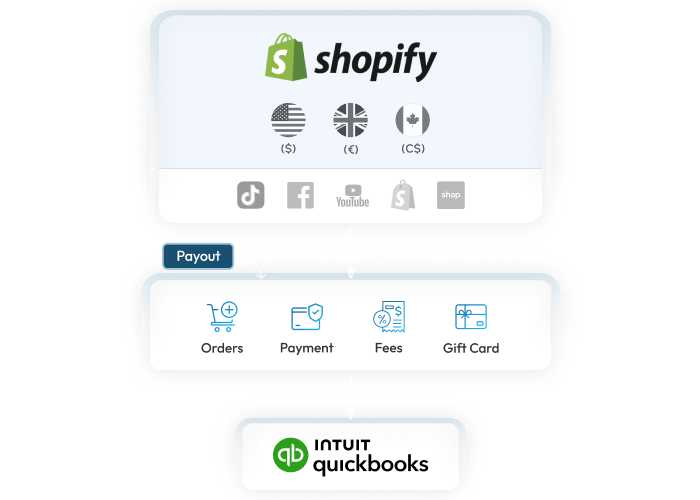
SyncTools automatically matches Shopify payout deposits with your bank statements, eliminating manual work and errors.

  • 100% accurate matching of payouts and deposits.
  • Save hours on manual reconciliation.
  • Ensure error-free, clean financial records.
Effortless Reconciliation, Maximum Accuracy

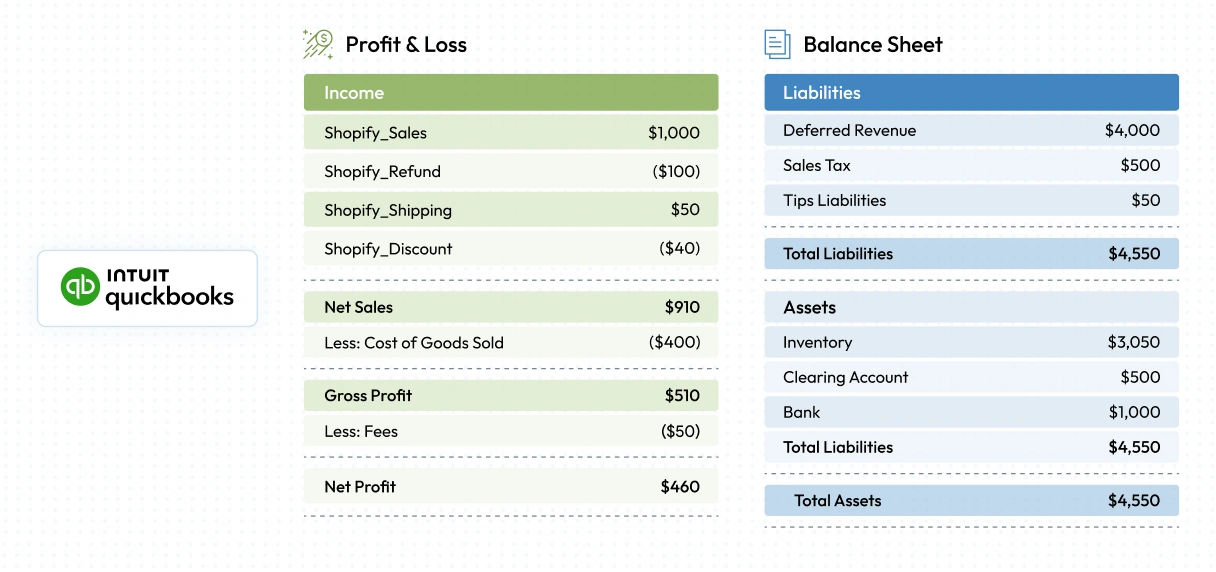
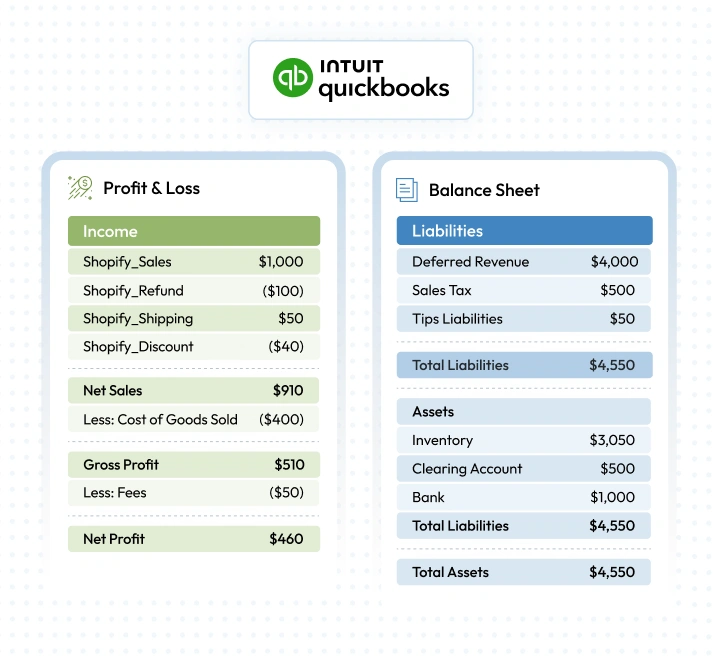
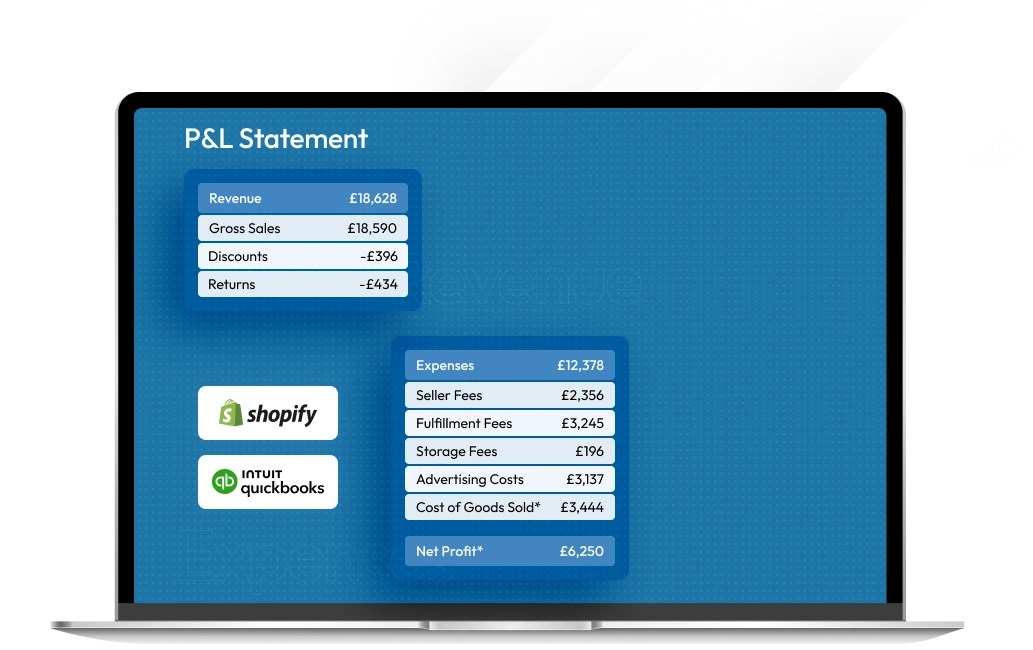
Know Your True Profit

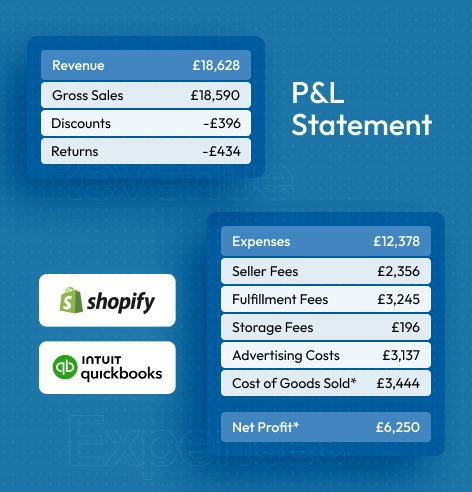
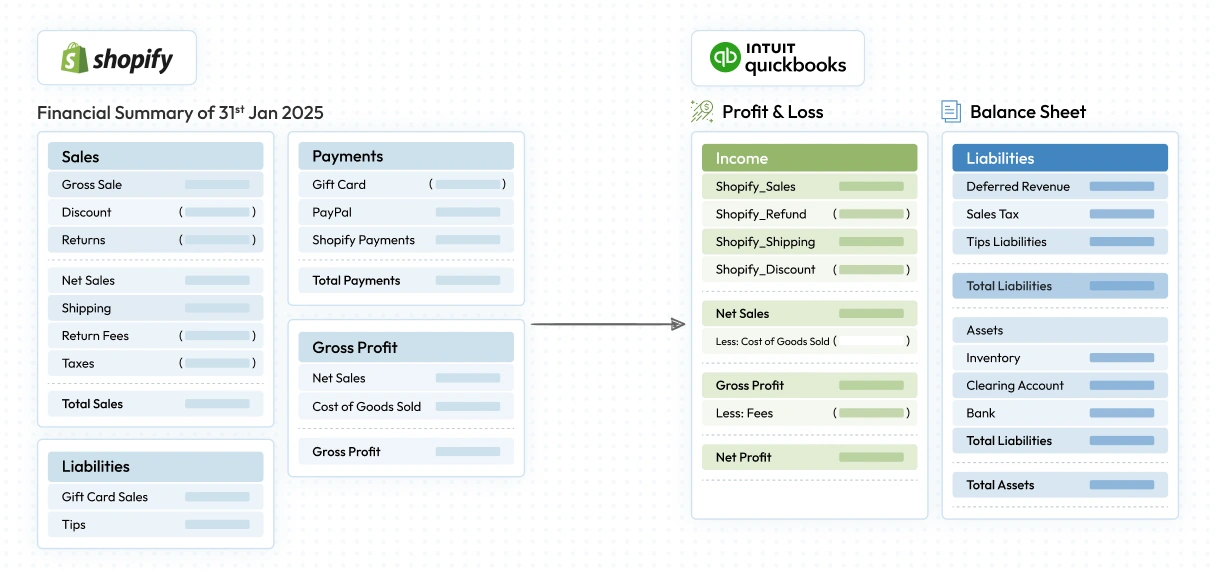
SyncTools consolidates your sales, refunds, shipping costs, and inventory valuations to give you a clear picture of your true net profit no guesswork, just accurate insights.

  • Sync all revenue and expense details seamlessly.
  • Track inventory value to ensure accurate calculations.
  • Calculate true net profits with precise COGS data.
Know Your True Profit. Know Your True Profit

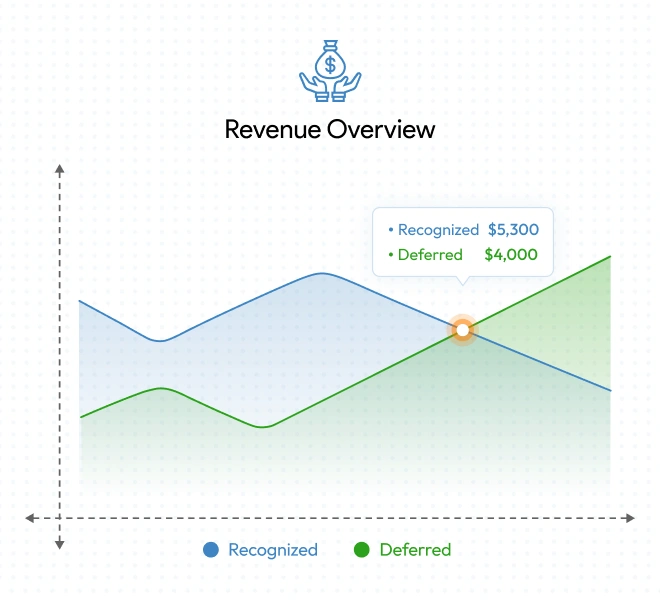
Deferred Revenue, Simplified!

SyncTools helps you handle deferred revenue effortlessly, ensuring income is recognized only when the related services or products are delivered.

  • Automatically track unearned revenue.
  • Stay compliant with IFRS 15 & ASC 606 automatically.
  • Pay taxes only on recognized revenue, not total sales.
  • Perfect for subscription-based businesses revenue recorded when orders are fulfilled.
Deferred Revenue, Simplified!

Automated & Accurate

Schedule a Demo

Set up in just 3 easy steps

1

Connect

2

Configure

3

Auto-Sync

Empower Your Business
with the Smartest
Accounting Automation

  • Save Time to Focus on Growth
  • Clarity with True Profit Insights
  • Payouts Synced, Reconciliation Done!
  • Deferred Revenue, Simplified!
  • Built for Multi-Channel Accounting
  • Data Security You Can Trust
Empower Your Business
with the Smartest
Accounting Automation

Start automating your shopify transactions today!

  • Manual & Auto Synchronization
  • All-inclusive 6 Months free trial. Cancel anytime.
  • Free support and 1:1 Onboarding
Schetdule a demo
Start automating your shopify transactions today!

Take our First 6 months free trial.

Manage your bookkeeping effortlessly

  • Trial begins immediately
  • No CC required
  • Change plans anytime
  • Cancel anytime
Monthly
Yearly Save 12%
Add-Ons
$ 5 per 100 additional transactions (for all plans)
$ 20 per business entity/months

More than 5000 orders?

Contact sales!

Compare plans and features

Usage

Free (Life-Time)

Lite

Basic

Standard

Plus

-

Limits

Access to Historical Data

3 Months history

3 Months history

6 Months history

12 Months history

12 Months history

Supported Shopify Store

1 Store

1 Store

2 Stores

5 Stores

5 Stores

Linked QuickBooks Accounts

1

1

2

3

3

Additional Users Accounts

1

2

3

Unlimited

Unlimited

+

Features

Class and Location Mapping

not-allowed
allowed
allowed
allowed
allowed

COGS Synchronization

not-allowed

Monthly

Daily and monthly both

Daily and monthly both

Daily and monthly both

Tax Synchronization

allowed
allowed
allowed
allowed
allowed

Gift Card Synchronization

Default

Default

Default

Default

Default

+

Sales Data Grouping

By Payment Gateway

allowed
allowed
allowed
allowed
allowed

By Country

not-allowed
allowed
allowed
allowed
allowed

By Sales Channel

not-allowed
allowed
allowed
allowed
allowed

By Product Category

not-allowed
not-allowed
not-allowed
allowed
allowed
+

Summarized Sync

Mode

Manual

Manual & Auto

Manual & Auto

Manual & Auto

Manual & Auto

Frequency

Monthly

Daily, Weekly, Monthly

Daily, Weekly, Monthly

Daily, Weekly, Monthly

Daily, Weekly, Monthly

Send Sync Report via mail

not-allowed

Daily

Daily

Daily

Daily

Tax Threshold Notifications

not-allowed
allowed
allowed
allowed
allowed

Financial Summary by SyncTools

allowed
allowed
allowed
allowed
allowed
+

Other

Custom Development Services

allowed
allowed
allowed
allowed
allowed

Support

Email support, FAQs

Email support, FAQs

Phone Call, email support, FAQs

Phone Call, Zoom meeting, email support, FAQs

Phone Call, Zoom meeting, email support, FAQs

Want custom implementation?

Need a bespoke feature tailored to your business on top of SyncTools? We’ve got you covered! Simply pay for the customizations you need, and we’ll handle the rest.

Contact sales!

Customers who are Trusting US!

Star Image

Non-incentivize reviews from real users.

Icon
Tom brookes

None this morning, so that appears promising. Thanks so much for all the hars work, i really do value and appreciate it.

Logo
Icon
Heather cook

Fantastic news to hear you've worked out the issue, thank you to both yourself and your team for this resolution!

Logo
Icon
Barbara nichols

Swift response: Good communication

Logo
Icon
Harvey uppal

AWESOME: Excellent tool and has saved us so much time. Credit to the support team for being so helpful in setup and post-setup.

Logo
Icon
Jo turley

Great support: Had a problem with invoices not feeding, booked a call within 24 hours and the problem was fixed the same day. Very fast support, thank you

Logo
Icon
Gisela rivas

Great support: The tool is great and the support even more. Thanks

Logo
Icon
JonPaul fahy

Great connector, great support: Easy to use, excellent experience.

Logo
Icon
Joanna hawkins

Great support: All queries we have had have been answered in a reasonable time frame and have always been helpful

Logo
Icon
Deborah whitfield

Really good service: I have recently installed SyncTools and it is easy to use. Ran in to a bump when an update had knocked my connection. I contacted support of SyncTools and they worked quickly and kept me informed regularly and got me nicely connected. Now everything is running smoothly.

Logo
Icon
Nirav khiroya

Fantastic support: When dealing with APis there will always be the odd issue here and there. What I look out for is the service that is provided to resolve those issues. The guys at synctools have always been diligent and pro active about fixing any bugs that arise. Would highly recommend them.

Logo
Icon
Heather cook

Best Xero connector on the market: Excellent customer support and continuous development from an app that does exactly what it says on the tin without any hassle. Highly recommended Xero connector, the competition doesn't even come close.

Logo
Icon
Robert Morris

Reliable: Have been using the linnworks Xero connector for a couple of years now. It is very reliable and the developers are keen to improve it.

Logo
Icon
Geoff ainsworth

Excellent tool: Does what it says and connects seamlessly & if you have any issues the support is amazing!

Logo
Icon
Connie sturman

I just looked in the connector and it looks like they were able to get the purchase orders synced...thank the team for us. Thank you for your help

Logo
Icon
Jones

SyncTools consistently makes me feel like an all-powerful digital wizard.

Logo
Icon
Alastair kerr

1st Class software AND support: We had a complex process and challenging problem. Simply outstanding support to help sort our challenging LW workflow. The team at SyncTools helped us get started and then listened to our challenges and really engaged in helping us find a solution that fit our needs. Simply put - I'm hard to please - and these guys are just very highly recommended.

Logo
Icon
Tom brookes

Thanks for your response. May i just take a moment to recognise how helpful you have been since we startes using SyncTools. Previously we used ebusinessGuru, which frankly, was far inferior and their support was poor. So keep up the good work!

Logo
Icon
Sang nguyen

Great support: Need to customise syncing refund, took few weeks to implement then finally it works well now.

Logo
Icon
John fisher

Very good: app and customer service! fully recommend!

Logo
Icon
Haider ali

Excellent APP: Very easy to work with. Very knowledgable and understanding and open to any requests as well!

Logo
Icon
Tom brookes

Best in class: If you, like us, use both linnworks and Xero you'll likely find there aren't too many options to connect the two. Thankfully, there is SyncTools, which is a phenomenal tool, and far superior than the alternative that you may see in the app store. We sync our orders, refunds and purchase orders directly to Xero using this tool. It is executed well because there is a great understanding of both linnworks and Xero from their team. The support is incredible. So far, we have had some custom integration, and on the rare occasion there has been an issue with syncing, the team are promptly on hand and always find or develop a solution. Please keep up the phenomenal work and keep this app supported.

Logo

FAQ: Shopify + QuickBooks integration

What is SyncTools?

SyncTools is an ecommerce accounting software that connects your Shopify store with QuickBooks Online. It automates the transfer of sales, refunds, taxes, and inventory data, helping you keep accurate financial records without manual effort.

Why should I integrate Shopify with QuickBooks using SyncTools?

SyncTools eliminates manual data entry, reduces accounting errors, and ensures real-time financial updates. This saves time, improves bookkeeping accuracy, and allows you to focus on growing your business.

How do I set up SyncTools for Shopify and QuickBooks Online?

Setup is quick and easy. Simply install SyncTools from the Shopify App Store, connect your QuickBooks Online account, configure your settings, and start syncing. Our guided onboarding and customer support make the process hassle-free.

Is SyncTools compatible with both QuickBooks Online and QuickBooks Desktop?

Currently, SyncTools is designed for QuickBooks Online. If you need integration with QuickBooks Desktop, please contact our support team for alternative solutions.

How does Shopify summarized sync work in SyncTools?

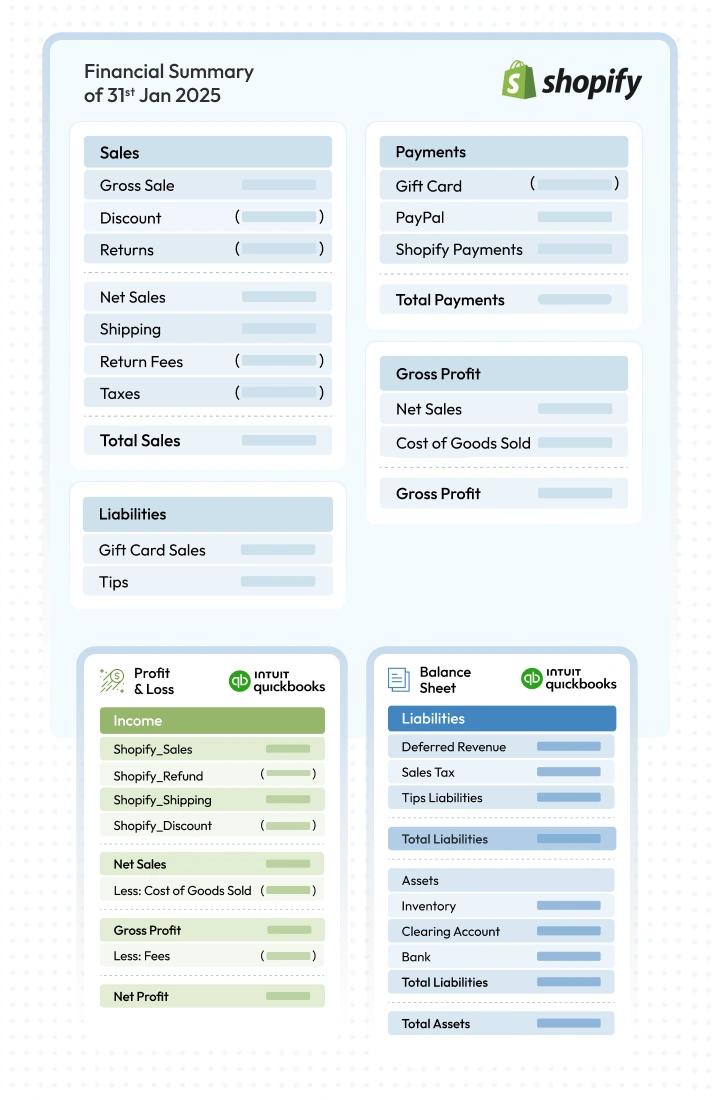
Summarized sync combines all transactions for a selected period (daily, weekly, or payout-wise) into a single summarized entry in QuickBooks. This simplifies bookkeeping by reducing the number of transactions recorded while maintaining accurate financial data.

When should I use summarized sync vs. individual sync in SyncTools?

Use Summarized Sync when you want to keep QuickBooks clean and reduce the number of transactions recorded. Ideal for merchants with high order volume.

Use Individual Sync when you need detailed transaction-level entries in QuickBooks for deeper financial tracking. Best for businesses that require granular reporting.

Can I connect multiple Shopify stores to one QuickBooks account using SyncTools?

Yes! SyncTools supports multi-store syncing, allowing you to connect multiple Shopify stores to a single QuickBooks account while maintaining separate financial tracking for each store.

Can I sync historical Shopify data to QuickBooks Online?

Yes, SyncTools allows you to import up to 24 months of historical data from Shopify to QuickBooks. You can choose the date range for syncing during setup. You will need to subscribe to the correct plan based on total historical order volume.

Can I customize how my Shopify data is synced with QuickBooks?

Yes, SyncTools offers flexible customization options, including mapping fields, choosing which data to sync, and setting sync frequencies to match your business needs.

How does SyncTools calculate Cost of Goods Sold (COGS)?

SyncTools automatically fetches product cost from Shopify orders and deducts them from each Shopify sale. This helps you understand your gross profit.

Can I customize the product costs for COGS calculations?

Yes! SyncTools allows you to overwrite the cost of product fetched from shopify, so that you can ensure that cost is inclusive of all types of costs related to procuring the product.

What should I do if I face any issues with the integration?

If you have any issues, you can check our Help Center, or documentation for quick solutions. For further assistance, follow these steps to contact our support team:

  1. Log in to your SyncTools account.
  2. Go to Get Support in the settings menu.
  3. Choose your preferred support option – Email or Phone.
Do you offer free support?

Yes! SyncTools provides free customer support to help with setup, troubleshooting, and optimizing your integration.

Is onboarding assistance included?

Yes! We offer a free onboarding to guide you through the setup process and ensure everything is configured correctly. This is limited to 4 hours.

Need help? We are here ready to support you when you need us!

Schedule a demo Contact sales!

Copyright © 2025 by SyncTools.io All rights reserved

Get Early Bird Exclusive Offer!

First 6 months free